Folder Address Bar-Start11-Visual Bug
from  Stardock Forums
Windows Version Number: Windows 11 Pro - ver. 25H2
App Version: UI: 2.82 File version: 2.8.2.0
I've been having a visual bug when using the folder in windows and has been happening for a while and I can't remember when it started (sorry for that) . After the latest update, it's still there so thought to mention it.
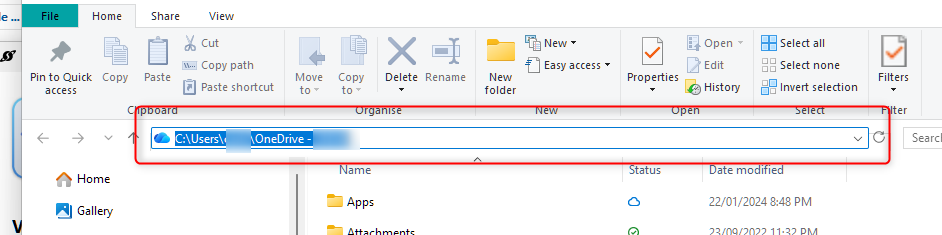
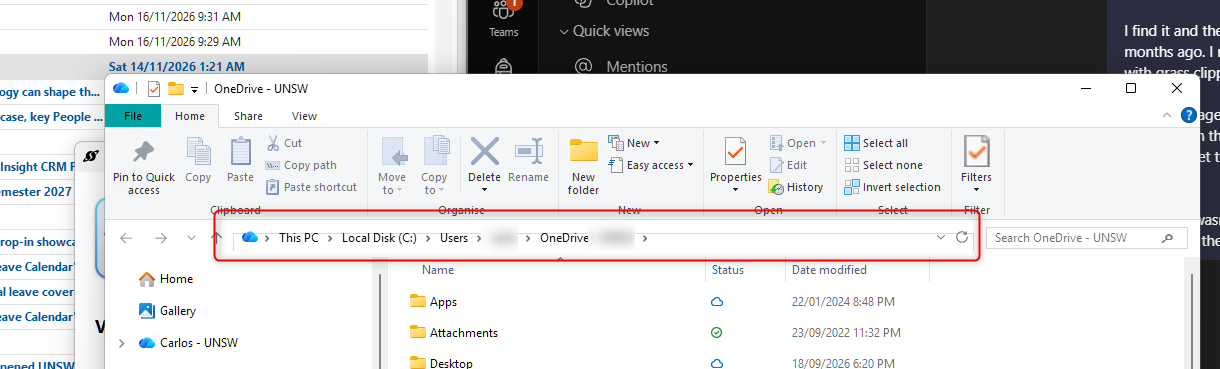
When working within a folder the address bar is strange and seemingly in the wrong place and partly cut off. However, when you click on it to enter an address or file location, it goes back to normal until you click off or don't need it anymore and returns to being all wrong again.
Here's the visual bug.
When you click on the address bar.