Primary 3-monitor does not show secondary 1-monitor screen

I move my mouse offscreen to the right but nothing happens

Hi, I just purchased OD standard to use multiplicity to control 3 or 4 remote development machines. Installation and configuration both successful.

Primary - win11 25H2 (or latest), same on the secondary machine. Primary 3-monitors, Secondary 1-monitor (all the same brand and resolution).

Symptom: I can move my mouse to the right offscreen on the primary (indicating M is kind of working), but nothing happens to the primary screens. I can't find a window or anything to do with the secondary machine. 

What's wrong? How can I fix it? I like Stardock and have used OD and Fences (esp for many years). So I hope I can find a resolution to the issue. Thank you. 

601 views 17 replies
Reply #1 Top

Hello,
Sorry to hear you are having issues. Need to know, you're using Seamless mode or KVM mode, from what I know, Multiplicity 4, which come with ObjectDesktop pack, does not support KVM mode, you will need Multiplicity 4 Pro for that.

Refer here for more on Seamless vs KVM mode: https://support.stardock.com/space/SHC/1287815196/Multiplicity+Seamless+vs+KVM+confusion 

Thank you,
Basj,
Stardock Community Assistant.

Reply #2 Top

Naturally, I am using only Seamless because that is what came with the OD subscription.

Why doesn't Seamless work? Could you provide more info or an explanation?

I'm okay with buying a Pro version, but I would like to be sure that it works on my setup before investing more money. It occurred to me that I could probably use Windows RDP to log in to the other machine, but I didn't think of that before trying Multiplicity.

Thank you

Reply #3 Top

Hello,
I have forwarded your question to Stardock Support Team for their assistance. Please keep an eye on this thread for any updates. We appreciate your feedback and patience. Thank you.

Basj,
Stardock Community Assistant

Reply #4 Top

Hi KevinJ2026,

Thanks for posting.

Quoting KevinJ2026, reply 2


I'm okay with buying a Pro version, but I would like to be sure that it works on my setup before investing more money. It occurred to me that I could probably use Windows RDP to log in to the other machine, but I didn't think of that before trying Multiplicity.

Thank you

To be clear, when your mouse moves off the edge of your primary screen, Seamless mode allows the mouse to successfully transition to your secondary PC (and back).  This is for extending your mouse and keyboard control to the secondary machine, but that machine's desktop continues to display on its own physical monitor. No window or screen from the secondary PC will appear on your primary machine's displays in this mode. 

If you'd like the secondary machine's screen to appear directly on your primary monitors (without needing a physical monitor attached to the secondary PC), that would be KVM mode, which is available in Multiplicity Pro (which you can Trial for free from the product page if you like).

Please let us know if this helps.

Best regards,

Adam McGuinness
Stardock Support Specialist

Reply #5 Top

I tried to figure out how to get a trial of M Pro, but could not figure it out. There seems to be no trial button on the website for pro, and there is no upgrade/trial option in my licensed standard version. I bought the OD desktop version because it had other things in it. Should I try to get a refund on my OD subscription and then buy M Pro to try it out? Let me know what I should do. (It seems pointless and expensive to buy a Pro version in addition to the OD subscription.

Thank you.

Reply #6 Top

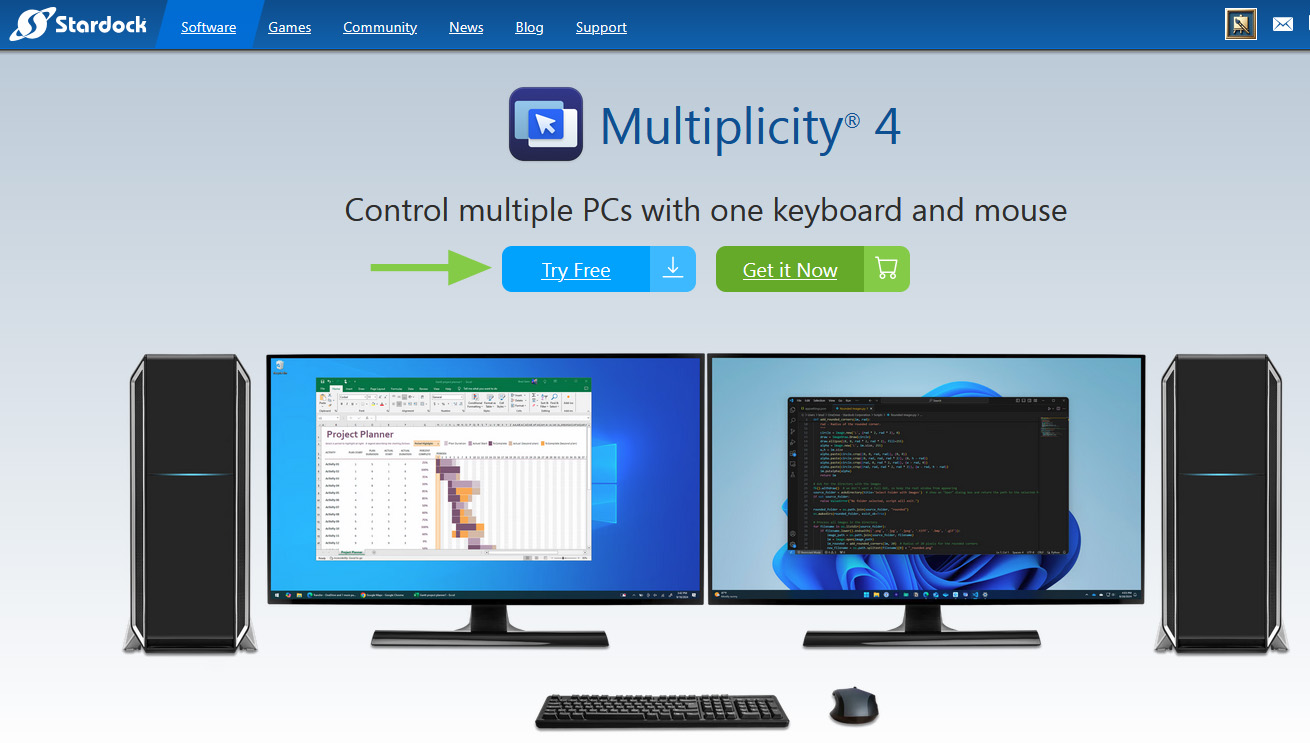
Downloading using this button on the MP home page is the Pro trial version.

+1 Loading…
Reply #7 Top

Of course, that's the button that I clicked! But there's nothing about Pro there. I will try it again. Thank you. 

Reply #8 Top

Quoting KevinJ2026, reply 7

But there's nothing about Pro there
The trial version is the Pro one. There is no other trial.

Reply #9 Top

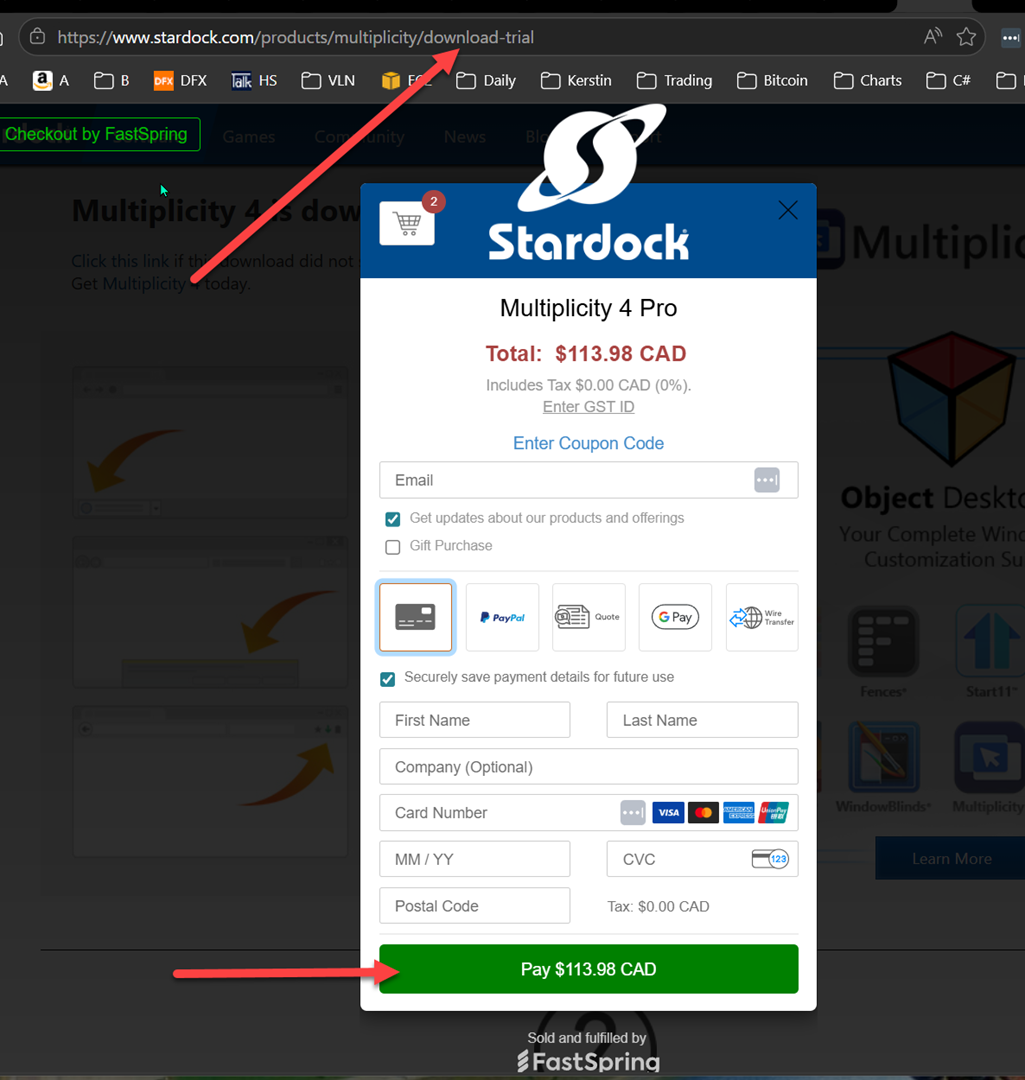
I clicked the button (again), and have included a screenshot of what I got on my end. Maybe it won't give me a trial because I am an OD user?

thank you

Reply #10 Top

Please try these steps.

  1. If you have OD, and you already install Multiplicity, please uninstall it and deactivate your license key.
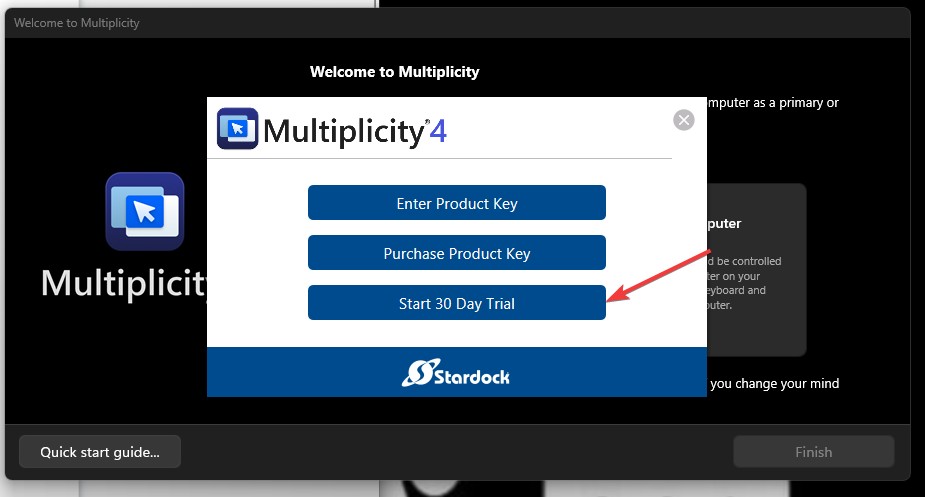
  2. Once that is done. Reboot and reinstall Multiplicity (The one you download via OD or your Account page should work). Once the installation finished. You will get this popup 
  3. Click on Start 30 day trial. There will be notification send via email to you to start the 30 days trial.
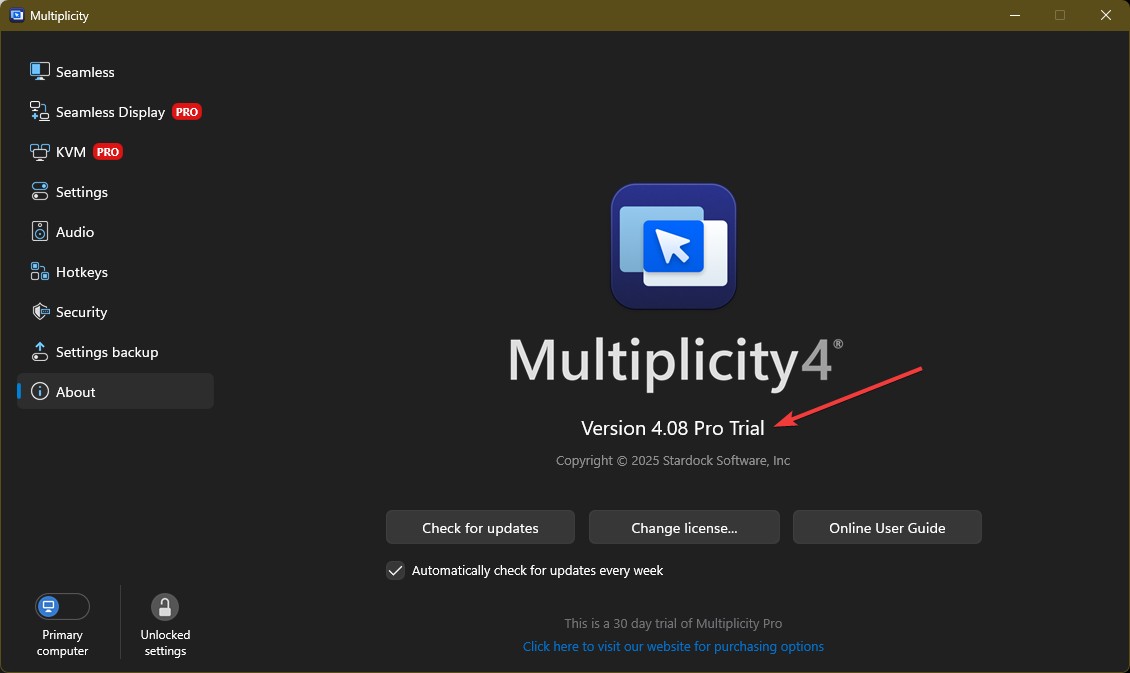
  4. Once that is done. The Multiplicity should be in Pro Trial. 

Thank you,

Basj,
Stardock Community Assistant

Reply #11 Top

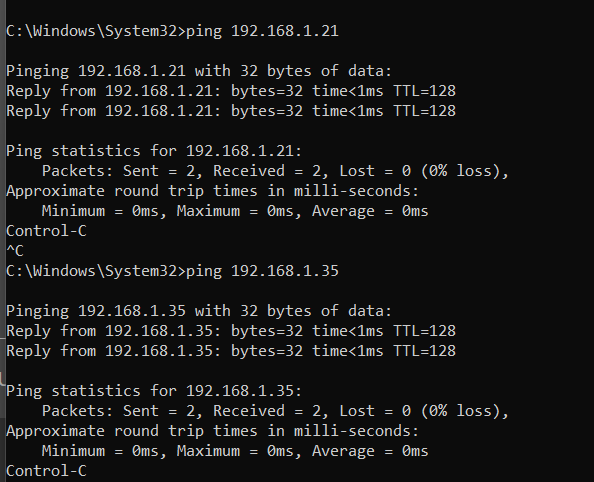
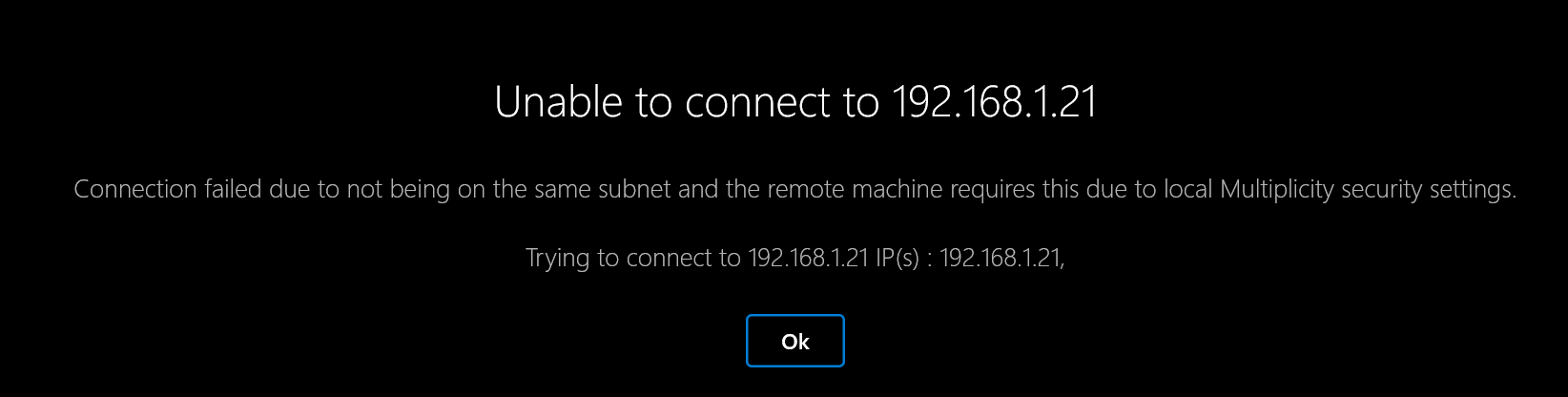
Thank you for your patience! I followed your instructions, disabled the key, and was able to access pro features (I have 4.0.7 running). As far as I can tell, I have the primary and two secondaries (two in case their settings differed) configured properly on 192.168.1.* (.115 primary, .35 and .21 secondaries). Here is a ping showing that I am on the same subnet. The primary and both secondaries are in Private Network mode. The Windows firewall is turned completely off on the .21 secondary. The firewall is ON on the .35 secondary, with Multiplicity in the list of allowed apps ate network checkbox checked). The firewall is ON on the primary, with two Multiplicity Server entries allowed in the Inbound firewall rules. I am at a loss what to do next. M4 Pro is claiming that the secondaries are on a different subnet than the primary, that the firewall rules are blocking, or that I have the connection passwords wrong (I do not have them wrong). Any ideas what might be going on?

Reply #12 Top

I have forwarded your problem/question again to Stardock Support Team for their assistance. Please keep an eye on this thread for any updates. We appreciate your feedback and patience. Thank you.

Basj,
Stardock Community Assistant

Reply #13 Top

Quoting KevinJ2026, reply 11

M4 Pro is claiming that the secondaries are on a different subnet than the primary, that the firewall rules are blocking, or that I have the connection passwords wrong (I do not have them wrong). Any ideas what might be going on?

The vast majority of the time, connection issues like this end up being the firewall.  We have a support document that includes a fix for this (as well as some other common things you can check) here:

https://support.stardock.com/space/SHC/1287946260/Multiplicity+Connection+issues+101

Please let us know if this guide helps.

Best regards,

Adam McGuinness
Stardock Support Specialist

Reply #14 Top

Your machine xxx.35 shows a bug I reported as the first customer reply in the "Multiplicity 4.07 Released" topic - see that post for more deatails than given below. Your xxx.21 does not show it suggesting there is something about computer configuration that MP4 is not handling (solution might be to ignore config and parse/edit ::www.xx.yyy.xxx removing the colons when getting IP/name).

The IP address being used is "::192.168.1.35" instead of "192.168.1.35" - invalid. Try removing that machine from the list and adding it back. When adding back change the machine name by removing the colons before clicking the final add step.

While this will fix the bad machine IP address, it might or might not allow the primary to connect: Stardock support will have to help you if no connection is made.

Reply #15 Top

Okay, good news. I started from scratch, completely. Uninstall, reboot the machines, all firewalls off, all networks private mode, reinstall, reconfigure everything (including new encryption keys), and the primary could connect to the secondary machines. So at least I have a starting point now. I will work through getting the firewalls going again to see what (if any) ports and rules will cause issues. Thank you for the connection issues webpage.

It's really nice to be able to connect to my secondary machines without a KVM box! Thank you for your patience.

Reply #16 Top

Everything is working fine now. My next question is about pricing. I signed up to an OD subscription renewal to get M4 (now I know it's the standard version, which won't work for my scenario). I'm happy to buy M4 Pro, but I wonder if there's a discount or something to apply my OD money to the M4 price? Thank you.

Reply #17 Top

Hello again,

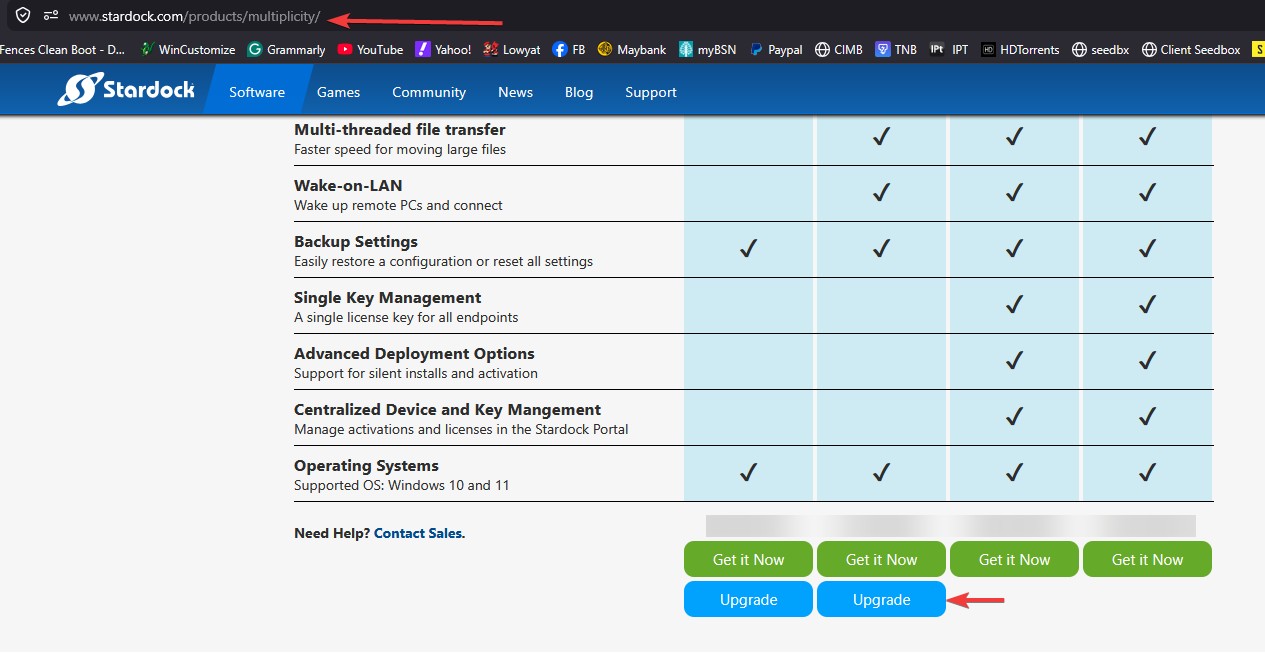
If you go to Multiplicity sales page, there is a blue "Upgrade" button under Multiplicity 4 Pro green "Get it Now" button, Click that blue button and enter your email address, you should get an upgrade discount with that.

Thank you,

Basj,
Stardock Community Assistant