Fences 6.44 Release Feedback

With the Fences 6.44 release today, we are creating this thread so that users can report any observed issues.  

Obtaining the product

Object Desktop members can get the release from within Object Desktop Manager 

Individual purchases (as well as Object Desktop Members) can also be obtained from your account page: https://store.stardock.com/myaccount/products

For guest check-out purchase (no account), from this link: http://www.stardock.com/support/productkeyretrieval

Reporting an issue

Please include the following for anything found:

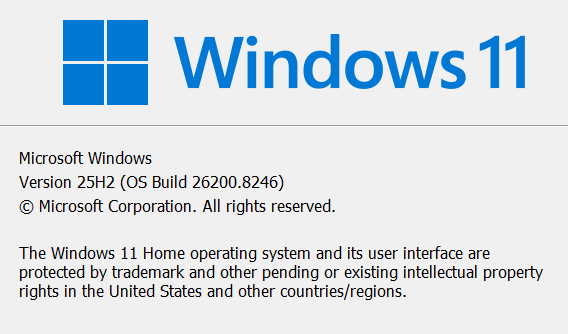
  • Exact Windows version \ build (winver.exe)

  • Detailed steps to recreate the issue seen

  • Screenshots and videos are very helpful.  Videos can be uploaded to a cloud drive service (GoogleDrive, DropBox, OneDrive, YouTube), with a shared link included in your post.  Images can be copied and pasted directly into a post.

  • If there are specific apps that the app does not work (well) with, please note what apps and their exact versions.  If any app is not common, a link to a trial version would be appreciated.

4,511 views 60 replies
Reply #1 Top

Fences 6.46 Beta Changelog

4/11/2026

Version

6.4.6.1 (6.46)

Changes

  • Critical Fixes

    • Fixed crashing issue affecting some users with v6.44.

  • QOL Improvements

    • Fine-tuning improvements to multi-mon handling system, ensuring icons & groups stay put as you switch between different monitor configurations.

    • Improved startup responsiveness for slow loading network-drive based Folder Portals.

    • Improved accessibility of titlebar style options in Customization pane.

    • Improved ease of undocking tabs from a tab group.

    • Improved DPI support up to 400% and improved 250%-400% visuals.

    • Improved configuration of icon tinting.

    • Added option to hide folder icon on Folder Portal titlebars.

    • Added menu item for adjusting spacing.

  • Fixes 

    • Resolves configuration window conflict when removing Peek icon from the taskbar

    • Fixed: Peek would show a black background when “blur background” was disabled.

    • Fixed: Settings dialog might freeze when disabling "Show in Taskbar" in Peek tab.

    • Fixed: Custom per-group title fonts & title font colors would not apply to tabs.

    • Fixed: Original folder title is now not overwritten in registry when navigating within Folder Portals.

    • Fixed: Issue with scrollbar reappearing after undocking a tab.

    • Fixed: a couple minor issues with the previous update [internal update]

    • Fixed: Scrollbars in "List" style folder portals would appear upon mouseover of rolled up groups, even when "click to toggle rollup" is enabled. 

    • Fixed: Resolved issue where if all icons & groups were located on secondary monitor, under certain circumstances they could revert to the primary monitor after monitor went to sleep

    • Fixed: Resolved issue with inconsistent minimum size setting with multi-monitors.

    • Fixed: Snapping issue related to multi-mon

    • Fixed: Issue where group orderings could shuffle during multi-mon change.

    • Fixed: Issue where loose icons could change monitors during multi-mon change.

  • Other

    • Updated localization strings.

    • Obsolete "Layout auto-adjustment" panel is now hidden for users who haven't adjusted this setting.

Reply #2 Top

Known issues

While we appreciate all feedback, please remember that we offer no official support for beta \ preview \ developer channel versions of Windows. If you report issues while in any of those early release channels, you should not expect them to be addressed unless it still exists in a retail version of Windows.

Reply #3 Top

***Reserved***

Reply #4 Top

All,

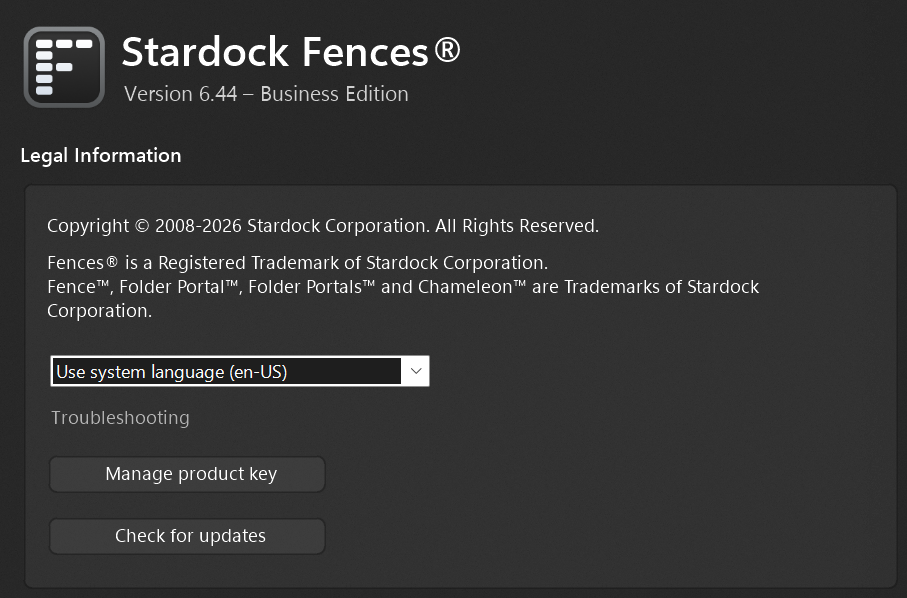
Fences 6.44 has been released, for details, please see:

https://forums.stardock.com/541311/get;3991321

Sean Drohan
Product Lifecycle Manager

Reply #5 Top

updated to v6.44 this morning. i wish there was a "rollback" update button. keep getting this:
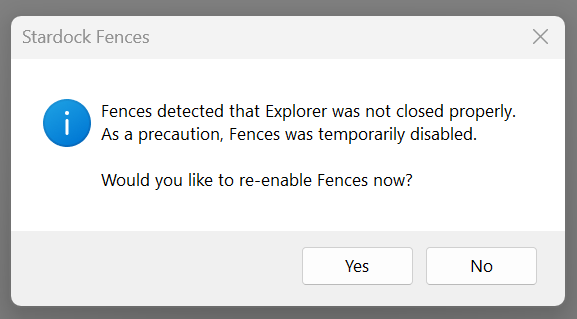
"Fences detected that Explorer was not closed properly. As a precaution, Fences was temporarily disabled. Would you like to re-enable Fences now?"

cleaned %temp%. restarted twice. disabled fences, enabled fences. performed real computer shutdown. turned on. still happening.

the only change i made was to turn off folder icons in portal titles.


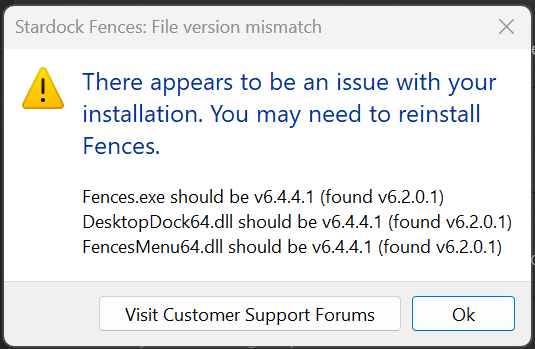
i was able to download and install v6.2 from my account downloads page. get this version mismatch warning whenever i open fences but at least i can see my portal folders now again — can't live without them.


Reply #6 Top

Quoting WTFNickname, reply 5

updated to v6.44 this morning. i wish there was a "rollback" update button. keep getting this:
"Fences detected that Explorer was not closed properly. As a precaution, Fences was temporarily disabled. Would you like to re-enable Fences now?"

cleaned %temp%. restarted twice. disabled fences, enabled fences. performed real computer shutdown. turned on. still happening.

the only change i made was to turn off folder icons in portal titles.


i was able to download and install v6.2 from my account downloads page. get this version mismatch warning whenever i open fences but at least i can see my portal folders now again — can't live without them.


Hello,
Sorry to hear you are having issues. Please try purge and reinstall steps as mention here : [Link]. Just make sure to redownload the latest version from your account page. Reboot after the purge. Reinstall and reboot again after the installation. Retest and report back here.

Thank you,
Basj,
Stardock Community Assistant.

Reply #7 Top

Hello team,

I'm experiencing the same error with the same Windows version.

I've now spent over an hour reinstalling, downgrading, and updating.

Always the same result. I've now reinstalled version 6.20 and will stick with it until you release a newer version than 6.44. Best regards.

Reply #8 Top

Quoting Berkenkopf, reply 7

Hello team,

I'm experiencing the same error with the same Windows version.

I've now spent over an hour reinstalling, downgrading, and updating.

Always the same result. I've now reinstalled version 6.20 and will stick with it until you release a newer version than 6.44. Best regards.

Hello,
Sorry to hear you are having issues. Have you tried purge and reinstall steps I mentioned above?

Thank you,
Basj,
Stardock Community Assistant.

Reply #9 Top


Hi Basj,

yes, I performed a "purge" according to the instructions.

Afterwards, Fences 6.44 started and automatically created fences. (It was a complete mess, but it worked.)

Then I restored a backup.

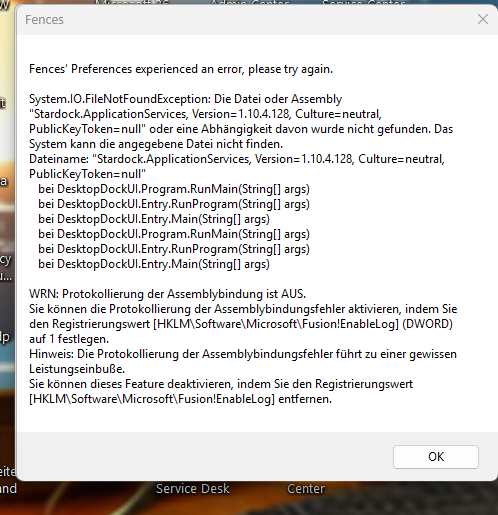
Since then, I get the following message on startup, and Fences is disabled.


Thanks for the quick response. Have a nice day.


Reply #10 Top

Quoting Berkenkopf, reply 9

Hi Basj,
yes, I performed a "purge" according to the instructions.
Afterwards, Fences 6.44 started and automatically created fences. (It was a complete mess, but it worked.)
Then I restored a backup.
Since then, I get the following message on startup, and Fences is disabled.

Thanks for the quick response. Have a nice day.

Great to know that. So the issue only reappear after you restore your saved layout. I have forwarded your problem/question to Stardock Support Team for their assistance. Please keep an eye on this thread for any updates. We appreciate your feedback and patience. Thank you.

Basj,
Stardock Community Assistant

+1 Loading…
Reply #11 Top

Hi,

i have the same behavour. After purging and reinstalling 6.44 the software runs fine. But after importing a backup from 6.22 the issue is back.

Greez

BigPond

Reply #12 Top

Hello,

For saving and restoring the backup of your layout, our Help Center guide includes instructions for where the Backups folder and necessary files for the backups are saved:

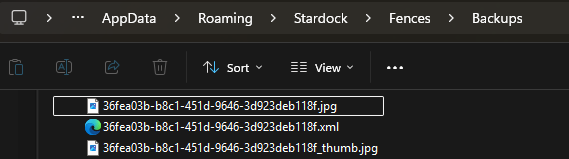
  • C:\Users\*USERNAME\AppData\Roaming\Stardock\Fences\Backups

If you replace *USERNAME with your own Windows username, you should be able to paste this into File Explorer to get there. 

When you save the layout, you should see 3 files there: (two .jpg and one .xml file).  They'd look something like this:

If you're getting an error when you try to restore a layout, you can check this location to see what's there.  If it looks normal/similar to my image, there may be something else (potentially corrupt files or access issues from your system) conflicting with the restoration. 

Please let us know if this helps.

https://support.stardock.com/space/SHC/1331331082/Backup+and+Restore+the+Layout+of+Fences

Best regards,

Adam McGuinness
Stardock Support Specialist

Reply #13 Top

Hi!

I did that as mentioned. No corrupt backup files and they are in the right directory. The issue is the same as mentioned in #5 to #9.

There must be an incompatibility for backup files between Version 6.22 and 6.44.

After installing 6.22 over 6.44 everything was fine.

Greez

BigPond

Reply #14 Top

Same result as with "BigPond" for me :-(.

If I then revert to 6.22, all my last 7 restore points work.

Regards, Guido

Reply #15 Top

Lets forget restore points for a moment.

After you install Fences 6.44, a reboot is absolutely required - full stop - if that step is missed, all sorts of issues can happen.  Did all of you do that?

Sean Drohan
Product Lifecycle Manager

Reply #17 Top

Quoting BigPond, reply 16

Yes, of course, as always after an update of Fences.

Ok, so your only remaining issue is backup restore for some \ all Layouts, yes?

Does Fences 6.44 load to the last Layout you had - or no - it boots void of any prior layout?

Sean Drohan
Product Lifecycle Manager

Reply #18 Top

No, it doesn't load to the last layout. The screen gets black and then the error message in #5 appears. The program is not usable. If i do what the message says (re-enabling Fences) the error message appears again. I tried also to restart the Explorer, but this didn't work either. The only way to get it back working is to downgrade to 6.22.

The progam wants to load the last layout but fails, then the screen gets black, then the error message appears and no layout is loaded.

Reply #19 Top

Fences 6.44 appears to be incompatible with StartAllBack 3.9.22 on Windows 11 24h2.

The applications appear to be competing for resources and this gives a "Windows Explorer could not close properly" error. The error recurs when one tries to re-enable Fences 6.44. When StartAllBack is running, Fences 6.44 refuses to be enabled.

Fences 6.02 works just fine. Until MS sorts the SLOP issue I won't be upgrading to 25H2. Don't think this is a Windows problem.

Hoping Stardock can get this fixed.

Regards

Reply #21 Top

OK, i have installed StartAllBack 3.9.22...

I'm on Windows 11 25H2 latest update.

Thanks for the tip.

Reply #22 Top

Quoting JackSpratto, reply 19


The error recurs when one tries to re-enable Fences 6.44. When StartAllBack is running, Fences 6.44 refuses to be enabled.

To confirm, BigPond and Guido, I wonder if you could confirm if Fences works better for you without StartAllBack?

Best regards,

Adam McGuinness
Stardock Support Specialist

Reply #23 Top

Unfortunately, uninstalling StarAllBack doesn't help. Fences still displays the same error and is unusable.

Reply #24 Top

Please try these steps:

1. Go to the following directory:

  • C:\Program Files (x86)\Stardock\Fences

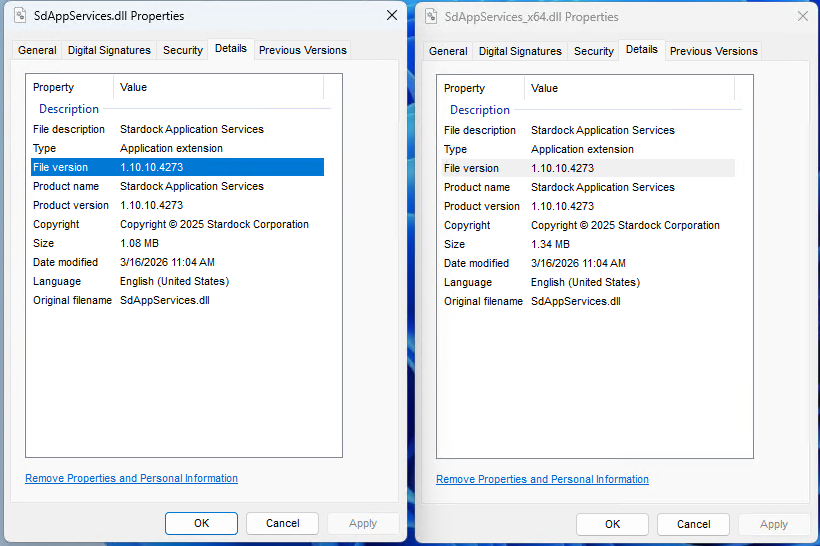
2. Locate these two files: SdAppServices.dll and SdAppServices_x64.dll

3. Right click each -> Properties -> Details tab and take note of the File version.  It should be 1.10.10.4273:
3. If it is not, disable Fences from loading via Task Manager -> Startup tab:
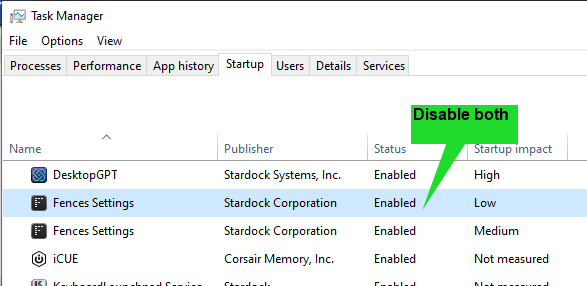
4. Reboot your PC, Fences should not start.

5. Download this zip file and extract it:

6. Copy its 2 files to this directory (replace whatever is currently there):

  • C:\Program Files (x86)\Stardock\Fences

7. Enable both Fences startup items in Task Manager.

8. Reboot again, then test the restoration of a layout.

Please let us know if this resolves this.

Best regards,

Adam McGuinness
Stardock Support Specialist

Reply #25 Top

Unfortunately it's not working. The provided files in the zip change nothing. The error reappears and i cannot restore a backup.