any known issues with Thunderbird beta and WB 11.07 ??

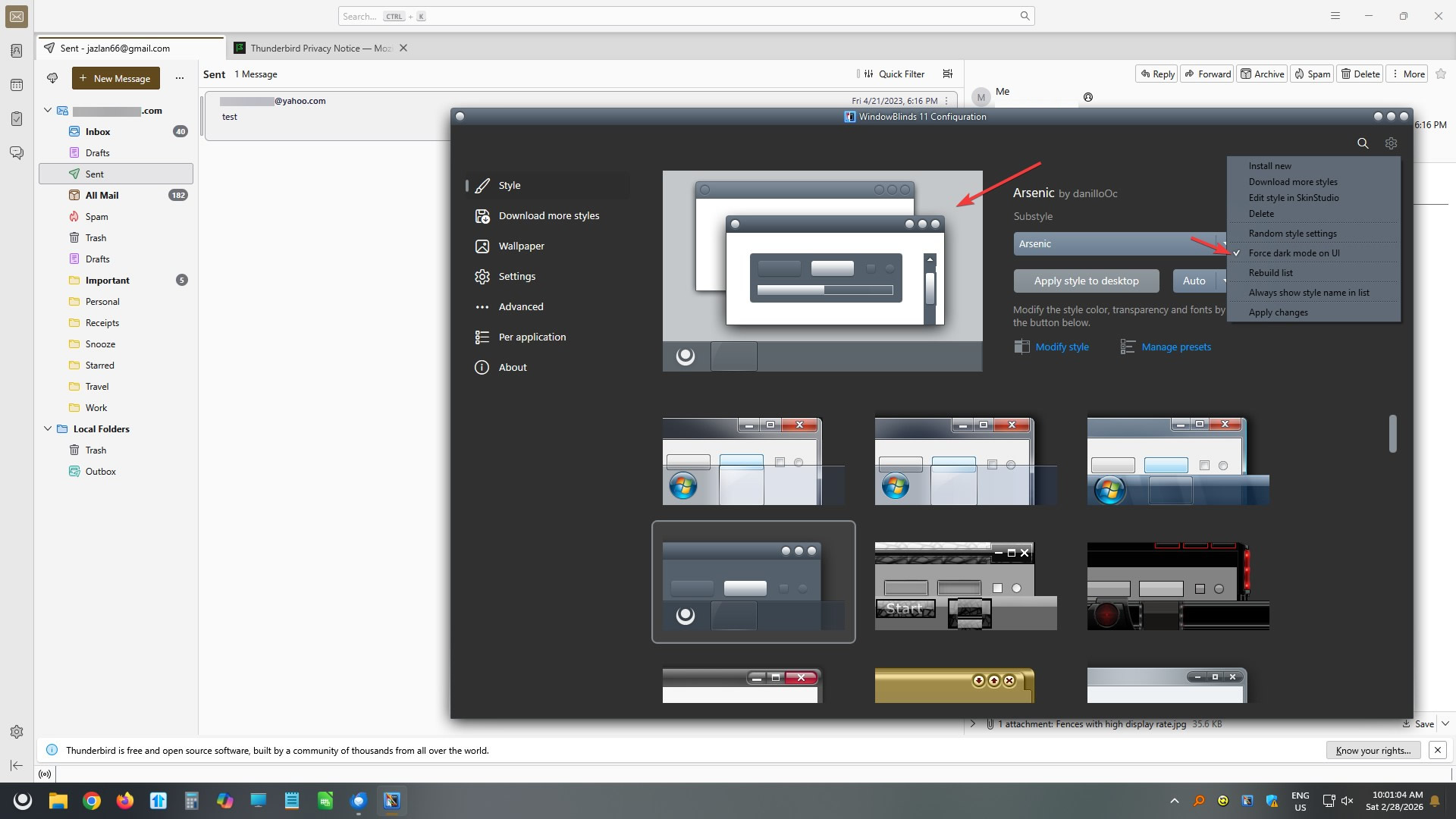
I was looking around WB settings, related to my previous thread about VLC Media Player, and I opened the settings menu in upper-right corner of WB 11 config - Style page, and selected 'Force dark mode on UI' ...
That did what I wanted - it changed the config dialog to dark mode - cool...

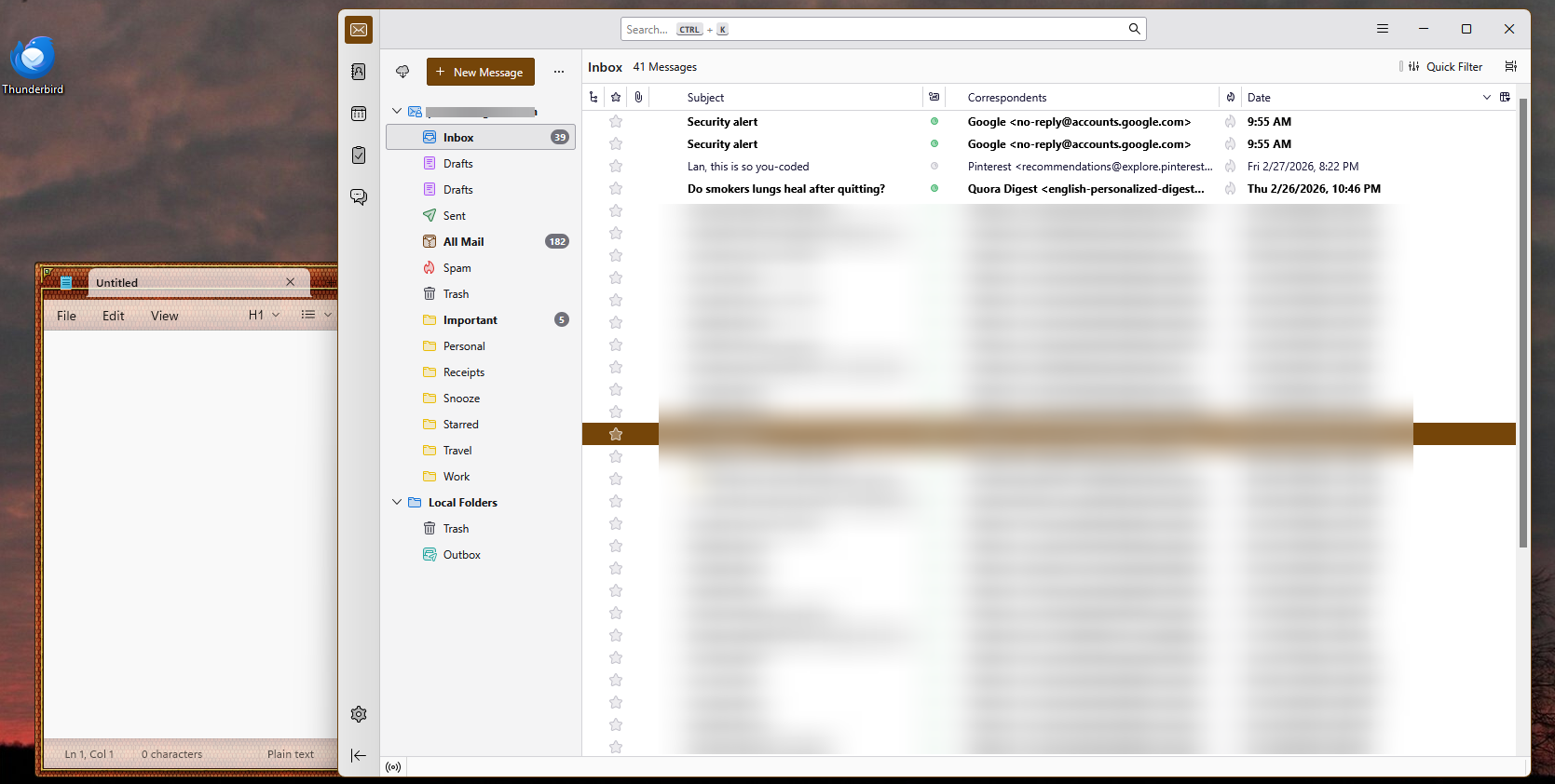
However, it also did something unexpected... It changed all the Messages lists in Mozilla Thunderbird beta to
Bright White background
Bold Black text for unread messages
Normal Black text for read messages

Note that the Folders list is *still* following the WB theme colors...

Before this, that Thunderbird pane had been following the WB theme colors with no issues.
Oddly enough, turning OFF 'Force dark mode on UI' did *not* reverse this change... in fact, *nothing* seems to affect that Messages window any more... changing WB themes changes everything else, but not that Thunderbird pane -
and that 'black on bright white' scheme is GHASTLY !!!!!!!!!!!!!!!!!

BTW, no other program seem to be affected in this way; the WB themes are working normally.

Has anyone else ever seen this??  Is there any way of reverting this change in Thunderbird ?
 

1,866 views 6 replies
Reply #1 Top

Hello,
Sorry to hear you are having issues. I can't reproduce your issue, perhaps some screenshot might help. Here is what I get when force dark mode UI turn on. I don't think that should change anything else, it should only change WB configuration windows.

Thank you,
Basj,
Stardock Community Assistant.

Reply #2 Top

Okay, I will include a couple of images here... this is going to be challenging to pursue, because (as the first image shows), even after I tell WB to ignore Tbird, that program is still malfunctioning - I simply cannot set colors on the Messages pane at all... but I am certain that the problem was initially caused by my toggling the dark mode switch in WB config page - even though I also admit that this makes no sense at all...

Anyway, here is what I have:

System version info:
Windows 10 Pro 22H2 (19041.vb_release.191206-1406)
WindowBlinds 11.07 (024 - Windows 10 Edition) - 64 bit OS
Thunderbird beta: 149.0b1 (64-bit)

1. This is with WB set to ignore Thunderbird and not skin it.  Thunderbird theme is Walnut Light
https://www.flickr.com/photos/derelllicht/55119094647/

2. This is with WB skinning Tbird, using Dragon skin, from 2008 - but note that this issue is present with *any* skin that I select.
https://www.flickr.com/photos/derelllicht/55120230549/

Note that the Messages pane is simply not affected by anything that I do...

I have a help message from 06/09/23 on the discuss.thunderbird.net forum, where [email protected] presented a method for setting the colors for the tbird messages frame, using chrome/userChrome.css; I was using this successfully for several years now... it actually interacted easily with WB; some skins would impose their own colors on that window, which was fine with me.  Other, older skins would just leave the userChrome.css settings in place; that *also* was fine!  And of course, a few of the older skins would just muck with things, but I delete those skins; the ones that I still have (all 136 of them) have been working fine with Tbird - up until now... but now, that .css file appears to be just getting ignored... how could WB have done that??  I have no idea...


Reply #3 Top

WB11.07 has recently change something in itself to make it compatible to Windows Explorer itself. I am not sure if this changes is the cause of your issue with thunderbird itself and or your mod done to it.

As a reference this is what I get with my Thunderbird without any mod done with Dragon skin applied.

Thank you,

Basj,
Stardock Community Assistant

Reply #4 Top

Quoting basj, reply 3

WB11.07 has recently change something in itself to make it compatible to Windows Explorer itself. I am not sure if this changes is the cause of your issue with thunderbird itself and or your mod done to it.

As a reference this is what I get with my Thunderbird without any mod done with Dragon skin applied.

Thank you,

Basj,
Stardock Community Assistant

Well, that is interesting... I actually *do* get the skin applied to the frame, but otherwise I get what you are seeing - the skin is not being applied to the message listing...

Is there any option to disable the recent change, to see if it affects this at all??  Actually, probably your support team will be looking into that!

Reply #5 Top

Only way to disable recent changes is uninstalling current WB version and reinstalling older version.

Thank you,

Basj,
Stardock Community Assistant

Reply #6 Top

Wait, I think I know what is going on with Thunderbird... I'm on the beta channel, which gets frequent updates, including over past couple of days...

The very fact that I can exclude Tbird from WB handling, and this issue is still present, I think demonstrates that it is a Tbird issue...
You can close this thread, I'll take this up with Tbird support...