Connection Explorer 0.80 Open Beta Release Feedback

With the Connection Explorer 0.80 open Beta release today, we are creating this thread so that users can report any observed issues.  

Obtaining the product

Object Desktop members can get the release from within Object Desktop Manager 

Individual purchases (as well as Object Desktop Members) can also be obtained from your account page: https://store.stardock.com/myaccount/products

For guest check-out purchase (no account), from this link: http://www.stardock.com/support/productkeyretrieval

Reporting an issue

Please include the following for anything found:

  • Exact Windows version \ build (winver.exe)

  • Detailed steps to recreate the issue seen

  • Screenshots and videos are very helpful.  Videos can be uploaded to a cloud drive service (GoogleDrive, DropBox, OneDrive, YouTube), with a shared link included in your post.  Images can be copied and pasted directly into a post.

  • If there are specific apps that the app does not work (well) with, please note what apps and their exact versions.  If any app is not common, a link to a trial version would be appreciated.

9,465 views 33 replies
Reply #1 Top

Connection Explorer v0.80 Changelog (Released 12/15/2025)

Date

12/15/2025

Version

UI: 0.80
File Version: 0.8.0.0

Changes

  • Added Bandwidth panel.

  • Added per process bandwidth tracking capabilities.

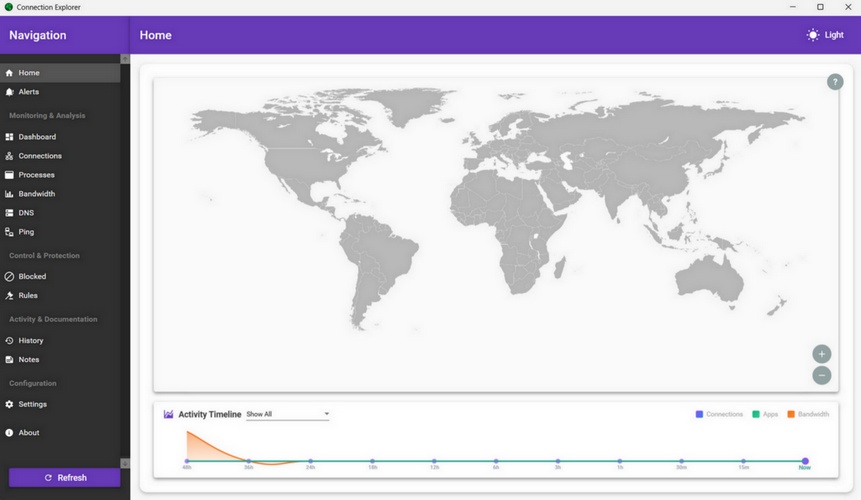
  • Added activity graph to home panel. 

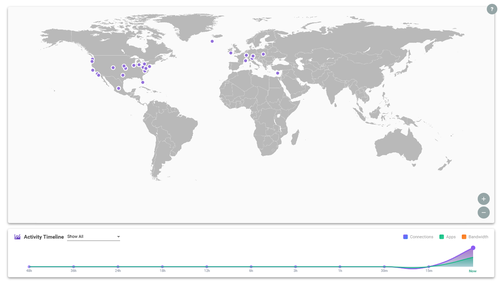
  • Added right-click focus view on map for easier viewing of clustered dots.

  • Added new navigation controls for map view.

  • Added map dot identifiers for the process when hovering.

  • Fixed incorrect date format database errors.

  • Fixed startup process checkbox to now function.

  • Fixed dark mode not staying persistent after app close. 

  • Fixed DNS data not always restarting after device comes out of sleep/hibernate.

  • Changed startup process to scheduled task.

  • Changed system tray app should start as admin.

Reply #2 Top

Known issues

While we appreciate all feedback, please remember that we offer no official support for beta \ preview \ developer channel versions of Windows. If you report issues while in any of those early release channels, you should not expect them to be addressed unless it still exists in a retail version of Windows.

Reply #3 Top

***Reserved***

Reply #4 Top

Hi,

I just installed the 0.80 Version today.

In the "connections" list (over 1.900 connections), every Process Name is "Unknown"

And if I choose details, Process Path, Start Time, Memory Usage and Threads are all "unavailable"

Is this a known error or is it just me?

Regards

Torsten


Reply #5 Top

Quoting tsiry, reply 4

Hi,

I just installed the 0.80 Version today.

In the "connections" list (over 1.900 connections), every Process Name is "Unknown"

And if I choose details, Process Path, Start Time, Memory Usage and Threads are all "unavailable"

Is this a known error or is it just me?


Did you have the previous version installed and did that work? It should not list them as unknown but one thing to try is to make sure that the system tray application is running in admin mode (right click the app from the start menu and run as administrator)

Reply #6 Top

Hi,

thanks for your quick response.

I did not have the previous version.

But the application is running in admin mode. But still doesnt show the process name.

I installed it on a second computer with the same result, not showing the process name.

Reply #7 Top

What language/date format is the device running? Also, what version of Windows?

Reply #8 Top

Hi, sorry, I had to create another account due to reply limitations for new users....

The language is german and date format is d/m/y

Both Laptops are Windows 11 version 25H2

Torsten

Reply #9 Top

Quoting tosiry, reply 8

Hi, sorry, I had to create another account due to reply limitations for new users....

The language is german and date format is d/m/y

Both Laptops are Windows 11 version 25H2

Torsten

This is a language bug that I need to fix, if you flip your device to English it should function as expected but I need to resolve the lookup to use local language matching which is why it's returning the null value.


Reply #11 Top

I will DM you once I have a build that I think can address this issue - with the holidays around the corner, will be a little bit before I have it ready.

+1 Loading…
Reply #12 Top

When will the "Switch Language" feature appear in Connection Explorer settings? Currently, it's only available in English.

Reply #13 Top
Hi,

Just installed the latest version from your website. I love the tool and have been a client of stardock (Fences) for number of years. I am always on the lookout for tools like this. The most recent one I tried was Sniffnet, free of course. That does not mean I am unwilling to pay for a tool I like and trust.

That said, the first thing I wish this tool would do is visually identify the node where the app is installed. Graphically on the map, either a dot with a different color or a new symbol representing the node. I think Graphically this adds to the visual effects of this tool.

Ardy

Reply #14 Top

Quoting ArdeshirG, reply 13

Hi,

Just installed the latest version from your website. I love the tool and have been a client of stardock (Fences) for number of years. I am always on the lookout for tools like this. The most recent one I tried was Sniffnet, free of course. That does not mean I am unwilling to pay for a tool I like and trust.

That said, the first thing I wish this tool would do is visually identify the node where the app is installed. Graphically on the map, either a dot with a different color or a new symbol representing the node. I think Graphically this adds to the visual effects of this tool.

Ardy


I am trying to understand what "node where the app is installed" means - the node, as the app is built today, is always going to be the device you are using.


Reply #15 Top

Yes. The computer that the app is installed on is what I call the node. It would be nice if the user can see their location in relation to all other dots and or identified locations. Just a thought. Currently you have green, blue and gray I believe..... so maybe a black square for the current geographical location of the node.

Reply #16 Top

It ran for a while and now it's dead in the water..... tried

  • Flushing the DNS
  • Refresh didn't work
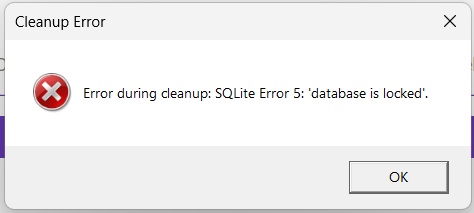
  • Clean old records older than 90 days. got a system error (See below)
  • Clean record older than 90
  • Re-started the program - No effect still dead in the water
  • Re-Started the laptop - No effect still dead in the water
  • The log file if you are interested
  • These are some images just in case. see below


Reply #17 Top

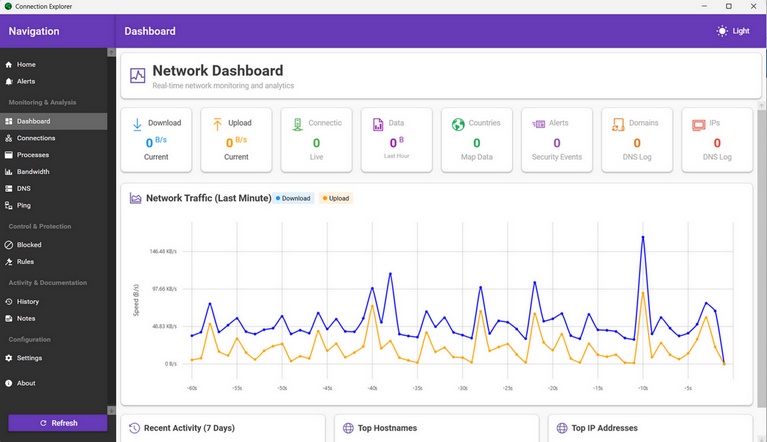
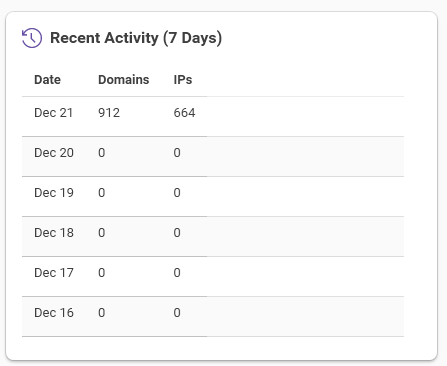
Windows 11 25H2, upgrade install from 0.7.3.  I am encountering a problem I did not see in the previous release, which is that after a period of uptime, about 24 hours or so, the main UI will take a long time to load, and everything will show all zeros.  No connections, no domains, no bandwidth, nothing.  Closing everything, the main UI and the tray icon and reloading it, it'll work partially okay.  Several items still act strangely such as the history or domains reading zeros.  Screenshots attached (I had to resize them down), can provide logs.


Reply #18 Top

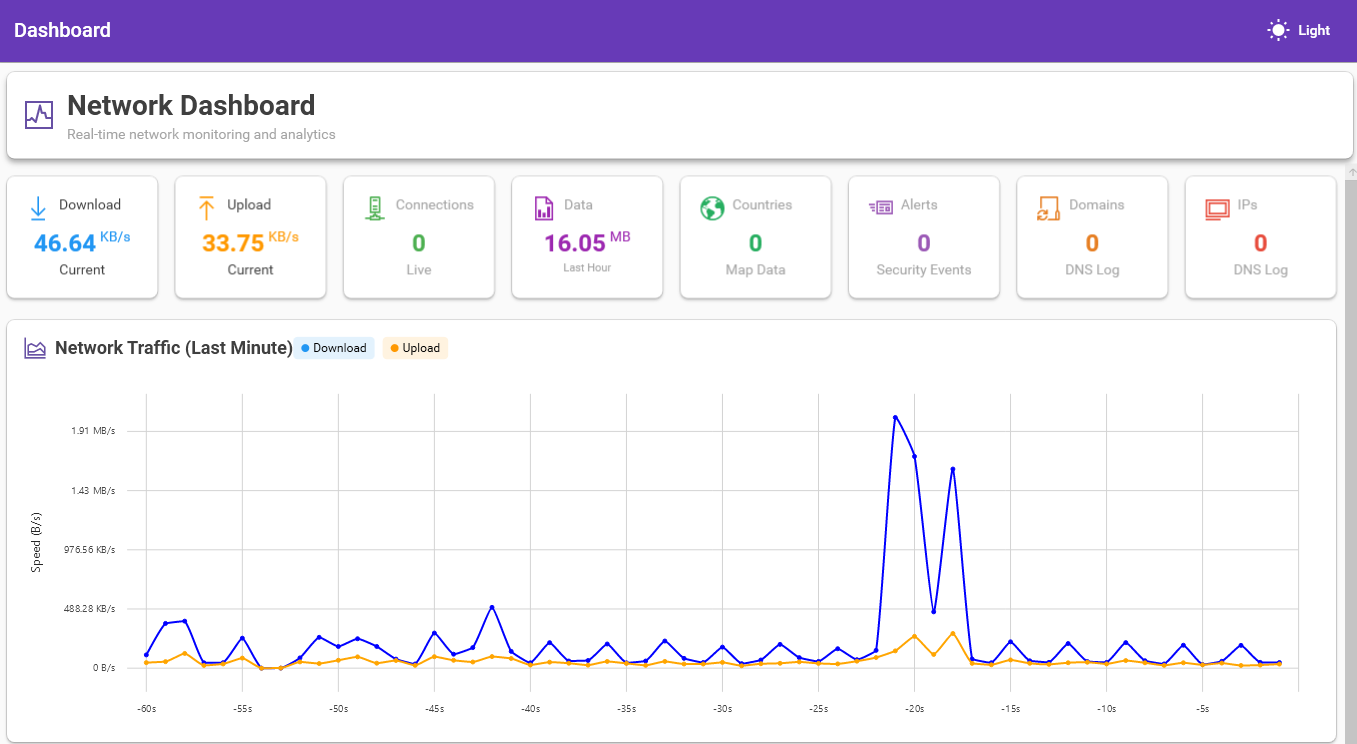
Tried this program out yesterday as it looked useful and interesting, it seemed to work yesterday, showing the various places my apps were connecting to, but when I loaded it today, no connections at all.  "total connections - 0", nothing on the map at all. Weirdly on "Network Dashboard" it shows upload and download but still thinks there are zero connections, so I'm not sure how it can be uploading/downloading if there are zero connections...


Reply #19 Top

Quoting ArdeshirG, reply 16

It ran for a while and now it's dead in the water..... tried


    • Clean record older than 90


I have seen this, you need to close the system tray app, close the main UI...start the main UI first and then the system tray app and it should resolve the issue. 

Reply #20 Top

Quoting BuckoA512, reply 18

Tried this program out yesterday as it looked useful and interesting, it seemed to work yesterday, showing the various places my apps were connecting to, but when I loaded it today, no connections at all.  "total connections - 0", nothing on the map at all. Weirdly on "Network Dashboard" it shows upload and download but still thinks there are zero connections, so I'm not sure how it can be uploading/downloading if there are zero connections...


Is the app showing in the system tray? If not, on the map view, click the ? that's in the gray circle and then walk through the tutorial and there is a panel that will check to see if the app is running.


Reply #21 Top

I really like Connection Explorer, but I noticed the UI is currently English‑only. It would be great if you could add *Chinese language support* in a future update — this would make the software more accessible to users who prefer Simplified/Traditional Chinese.


+1 Loading…
Reply #23 Top

Quoting ppetroff60, reply 22

When will other translations of the program besides English appear in Connection Explorer?

Hello,
Usually more language support on release version.

Thank you,
Basj,
Stardock Community Assistant.

Reply #24 Top

Quoting ppetroff60, reply 22

When will other translations of the program besides English appear in Connection Explorer?

Translations will be the last thing added to the app once I feature-lock for the 1.0 release and doing all the languages users want supported is a big lift on our end, so we don't want to do it until we are comfortable that the features are finalized.

Reply #25 Top

If anyone hits the "unknown" issue because your Windows isnt set to English - let me know as I have a new build that addresses this issue but need help testing it.

+1 Loading…