Stardock Announces New Windows Desktop Customization Tool: Curtains

New customization tool allows users to add
additional style modes to Windows 10
Learn More

Stardock announced a new customization tool today. Curtains allows users to apply new styles along the lines of Dark Mode and Light to Windows 10.

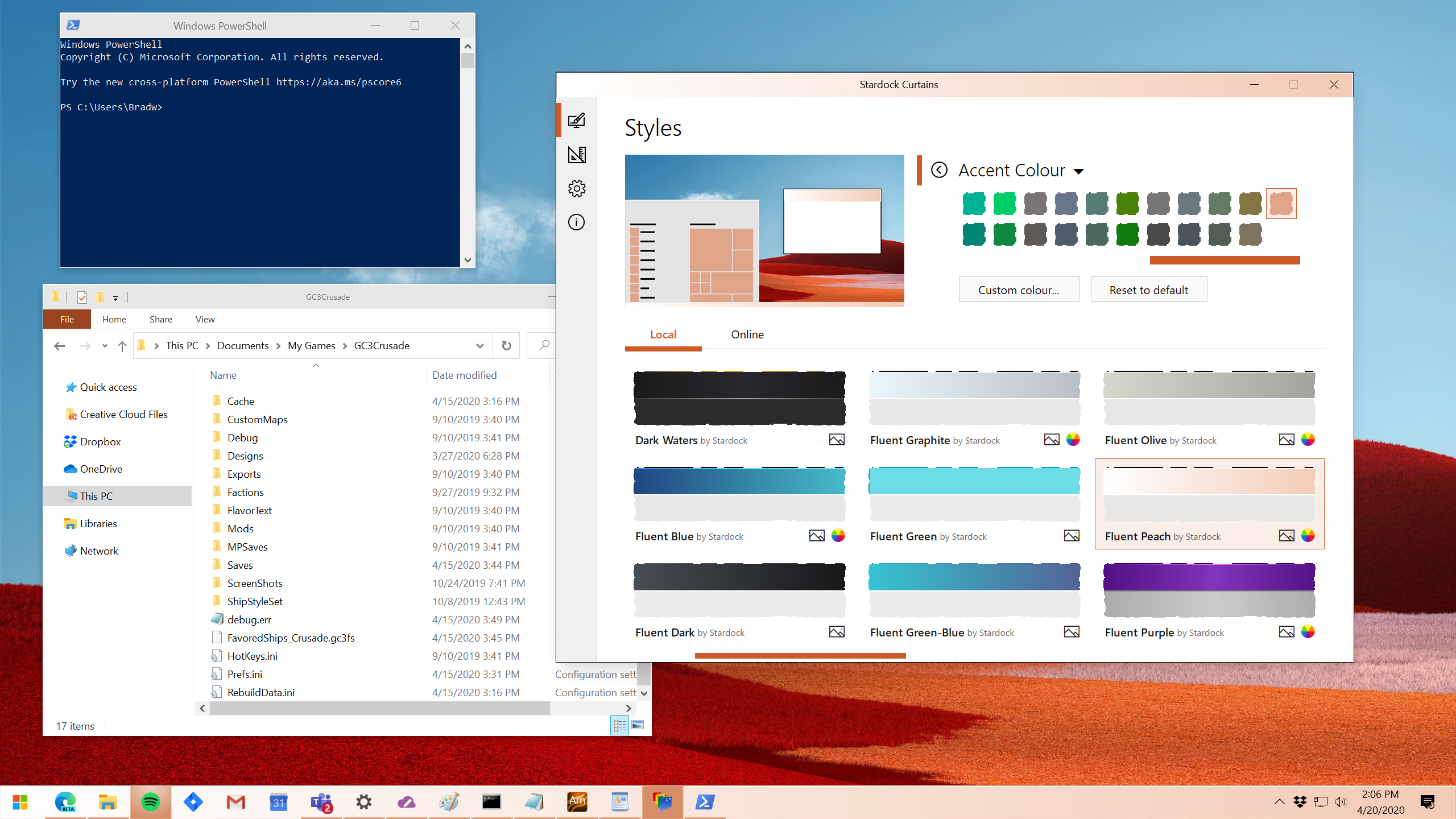
Taking advantage of the groundwork built to support light and dark mode, Curtains includes several new styles including Fluent, Cairo, and Crystal mode that enhance the look and feel of the Windows UI along with apps that already support light and dark mode.  

"The advantage of using a program like Curtains is that it's essentially just adding new 'modes' to Windows," said Brad Wardell, CEO of Stardock.  "It already works with high DPI displays and your existing programs. This gives users a little extra touch of customizing the Windows experience."

In addition, Curtains also includes styles that allow users to switch Windows to looking more like Windows XP or Windows 95 as well as alternative operating systems.
Curtains
Curtains

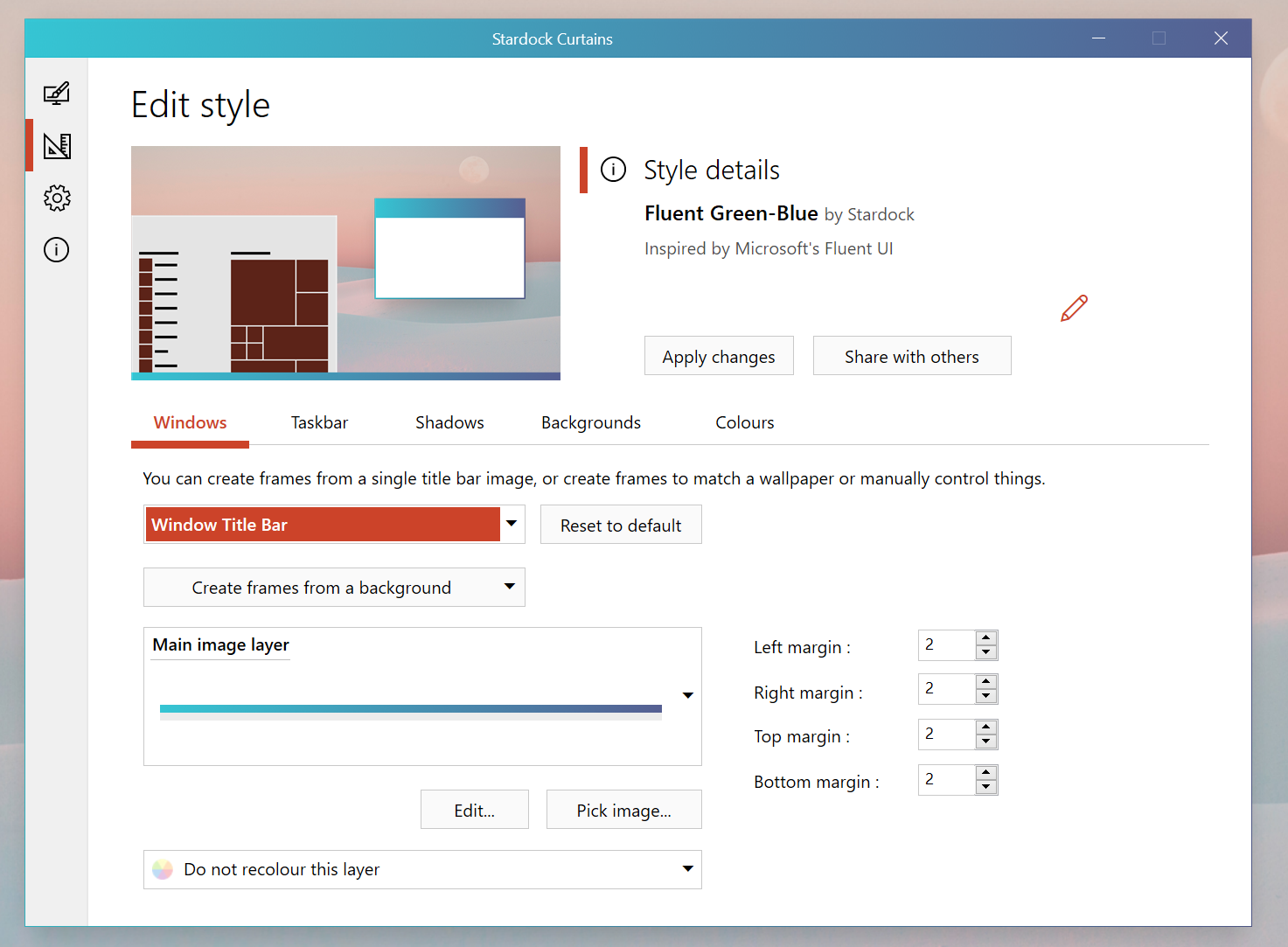
Users can easily create and share their own styles using the built in style editor. A Curtains style can change everything that Light and Dark mode can change, including the Start button, title bar buttons, and title bar coloring.  It also supports tweaking gradients, shadows opacity, and hundreds of other small elements of the Windows GUI.

"Curtains makes it very easy for people to make their own styles," said Wardell. "There are a lot of customization features that have been buried in recent years such as font faces and sizes, detailed color choices and much more. Curtains allows people to adjust all of that and save it with their style easily.”

The beta version of Curtains will be available on Stardock's Object Desktop suite of desktop enhancements starting next week.  Object Desktop includes programs such as Fences, Start10, Groupy, SoundPackager, DeskScapes and Multiplicity. Visit www.objectdesktop.com to download it.

Curtains
Curtains

Visit the Curtains webpage for more information.

209,606 views 57 replies
Reply #1 Top

With the beta 1 release, if you are seeing any issues you would like to report, please post them here:

https://forums.stardock.com/499663/

Reply #2 Top

Can't wait! Windowblinds was too much for me on Win 10 so I'm super looking forward to this!

Reply #4 Top

I really want dark mode without the extra button. I've been using "Dark Mode" by Vad_M though it uses that fourth button that I can't stand and I just don't have a full week to div in to the ancient mess though I have gotten close enough to see what it does.

What would be truly useful is to be able to modularize which parts are being customized:

  • Background-color and text color.
  • Font sizes.
  • Font families.
  • Margin and padding.
  • Excess buttons.

There are some interesting themes though being able to import/export what some authors do competently and mixing it with what other authors manage to pull off competently would really bring all of this to the next level.

Lastly I would love to see a much better distinction of what is a background-color and what is a text color in WindowBlinds when modifying a theme's system colors. In example I can't figure out how to change the black text color in Advanced Find and Replace to be light grey or white and I use that program literally every single day.

Reply #5 Top

The fourth button on the Dark Mode theme is a roll up button. 

Reply #6 Top

I assume that this is used without WindowBlinds?  Not likely I'll go without blinds.

Reply #7 Top

Quoting Island, reply 1

It's very cool!
Nothing in the screenshots comes close to cool.

Reply #8 Top

I unload WB every once in a while. I wouldn't mine checking this out. 

Reply #10 Top

Be interesting to see if this will be the replacement of Windowblinds, and Skinstudio.... :\  

Reply #11 Top

It’s not going to replace WB or SkinSrudio.  It’s for people who want to customize the look and feel of Windows but don’t want to go as far as WindowBlinds.

+1 Loading…
Reply #12 Top

Quoting Yrgal, reply 7


Quoting Island Dog,

It's very cool!

Nothing in the screenshots comes close to cool.

Thank you for your input....

Reply #13 Top

Quoting Frogboy, reply 11

It’s not going to replace WB or SkinSrudio.  It’s for people who want to customize the look and feel of Windows but don’t want to go as far as WindowBlinds.

Thank you, sorry I'm not a fan of the Win 10 default (Metro) look, if that's what it's called, I still like the Win 7 (like) start menu, I guess I'm an old dinosaur. :grin:  

Reply #14 Top

Looks like Vivaldi.

Reply #15 Top

Quoting ALMonty, reply 8

I unload WB every once in a while. I wouldn't mine checking this out. 

Same here, I'm sure I'll play with it.  Sometimes it's nice to "simplify".  I particularly like this part:

"Curtains makes it very easy for people to make their own styles," said Wardell. "There are a lot of customization features that have been buried in recent years such as font faces and sizes, detailed color choices and much more. Curtains allows people to adjust all of that and save it with their style easily.”

The screenshots on the linked page look promising. B)  

Reply #16 Top

i am not seeing the curtains available in my object desktop setup.  I am a current subscriber and the beta is not showing for me to download.

Reply #17 Top

Quoting LEMMORSebrof, reply 16

i am not seeing the curtains available in my object desktop setup.  I am a current subscriber and the beta is not showing for me to download.

The beta version of Curtains will be available on Stardock's Object Desktop suite of desktop enhancements starting next week.

Reply #18 Top

Quoting LEMMORSebrof, reply 16

the beta is not showing for me to download

The OP says "next week" ;)  

Reply #20 Top

Quoting Neil, reply 17


Quoting LEMMORSebrof,

i am not seeing the curtains available in my object desktop setup.  I am a current subscriber and the beta is not showing for me to download.


The beta version of Curtains will be available on Stardock's Object Desktop suite of desktop enhancements starting next week.


Very well.  thanks for the update.  I await its arrival.

Reply #21 Top

Quoting Frogboy, reply 11

It’s not going to replace WB or SkinSrudio.  It’s for people who want to customize the look and feel of Windows but don’t want to go as far as WindowBlinds.

WOW !!  This is what I've been wanting for ages , can't wait to buy it. I don't use Windowblinds or Object Desktop, so this is going to be fabulous as an alternative.

-- Ace --

+1 Loading…
Reply #22 Top

I see you have danilloOc involved......

If I didn't or couldn't have Windowblinds I'd have this or if I had 2 machines maybe I'd have this on one of them........naw I wouldn't. You can't beat Windowblinds!


Reply #23 Top

WIndowsblinds are probably unbeaten for some people - for some, like me, WIndowsblinds are overkiller at best. Curtains will probably be a hit for such people.

+1 Loading…
Reply #25 Top

Only a few more days.